

Check out the Stagehand Evals
Check out the Stagehand Evals to see different LLMs compare in Stagehand.
View LLM usage and token counts
You can view your token usage at any point withstagehand.metrics.
View granular LLM usage
- TypeScript
- Python
You can set
logInferenceToFile: true in the Stagehand constructors. This will dump all act, extract, and observe calls to a directory called inference_summary.inference_summary will have the following structure:
Run Evaluations (Evals)
Stagehand evaluations are how we, the Stagehand team, test the validity of Stagehand itself. We have three types of evals:- Deterministic Evals - These are evals that are deterministic and can be run without any LLM inference.
- LLM-based Evals - These are evals that test the underlying functionality of Stagehand’s AI primitives.
Deterministic Evals
To run deterministic evals, you can just runnpm run e2e from within the Stagehand repo. This will test the functionality of Playwright within Stagehand to make sure it’s working as expected.
These tests are in evals/deterministic and test on both Browserbase browsers and local headless Chromium browsers.
LLM-based Evals
To run LLM-based evals, you can runnpm run evals from within the Stagehand repo. This will test the functionality of the LLM primitives within Stagehand to make sure they’re working as expected.
Evals are grouped into three categories:
- Act Evals - These are evals that test the functionality of the
actmethod. - Extract Evals - These are evals that test the functionality of the
extractmethod. - Observe Evals - These are evals that test the functionality of the
observemethod. - Combination Evals - These are evals that test the functionality of the
act,extract, andobservemethods together.
Configuring and Running Evals
You can view the specific evals inevals/tasks. Each eval is grouped into eval categories based on evals/evals.config.json. You can specify models to run and other general task config in evals/taskConfig.ts.
To run a specific eval, you can run npm run evals <eval>, or run all evals in a category with npm run evals category <category>.
Viewing eval results
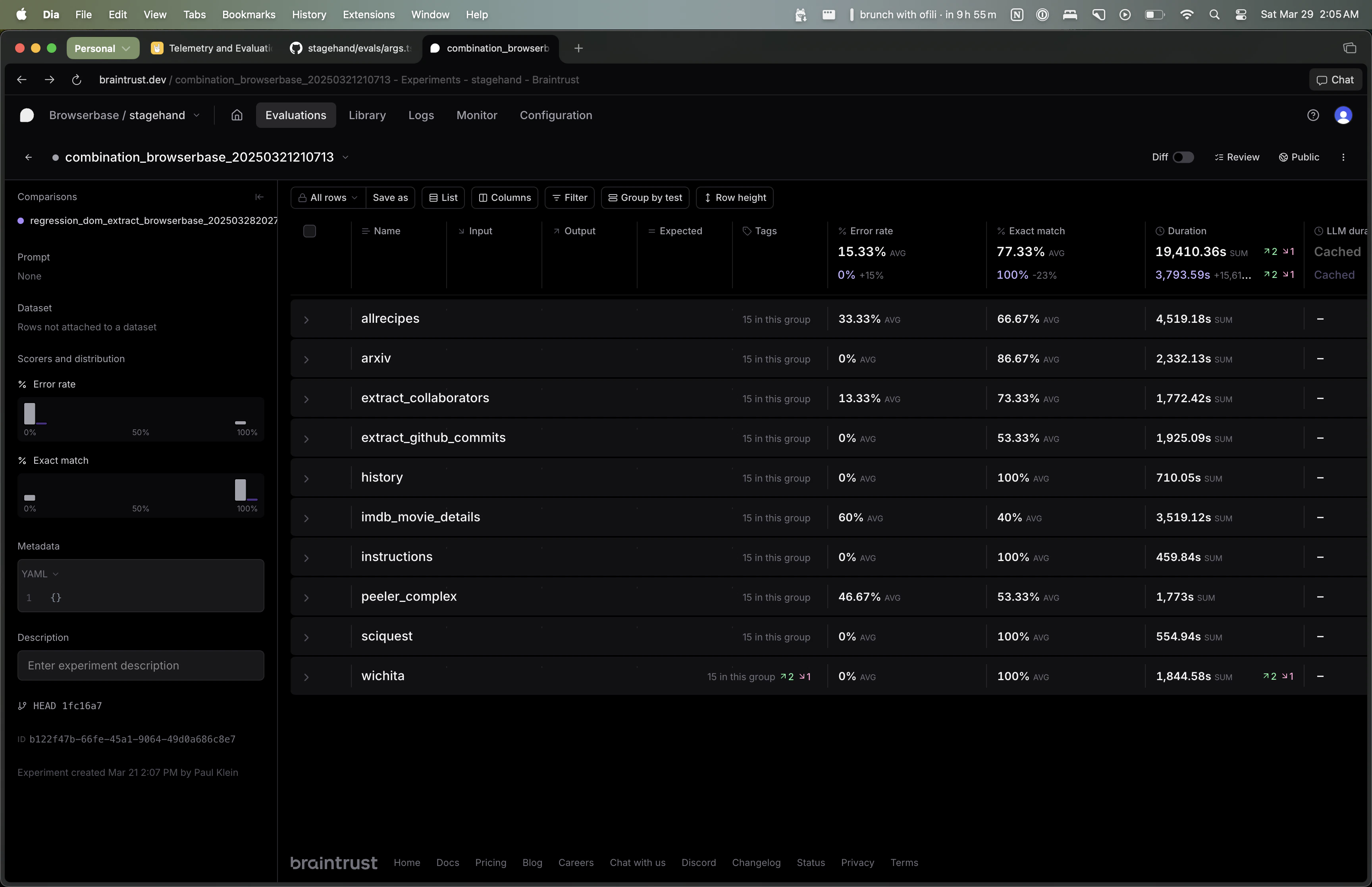
npm run evals.
By default, each eval will run five times per model. The “Exact Match” column shows the percentage of times the eval was correct. The “Error Rate” column shows the percentage of times the eval errored out.
You can use the Braintrust UI to filter by model/eval and aggregate results across all evals.
Adding new evals
To add a new eval, you can create a new file inevals/tasks and add it to the appropriate category in evals/evals.config.json.